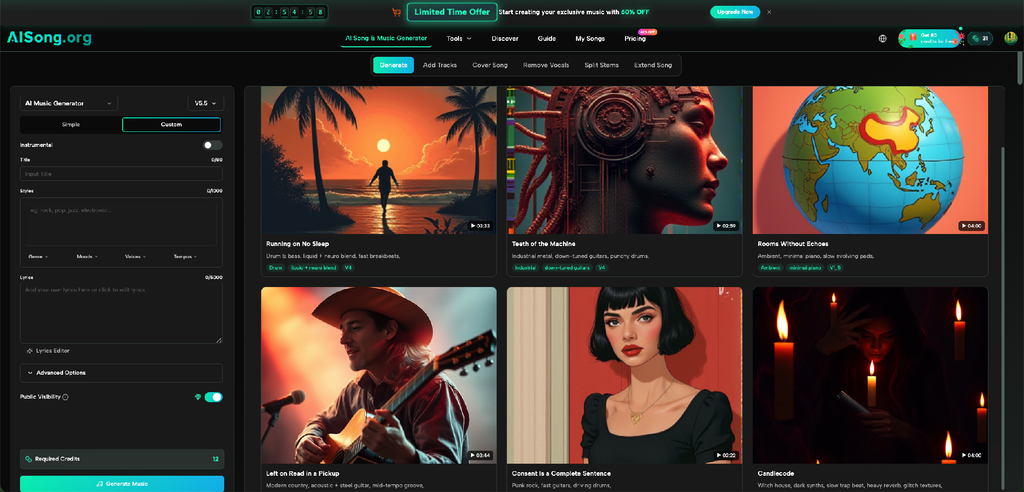
A strong image can tell you how a scene should feel before anyone says a word. A rainy window suggests one kind of sound. A bright racing wallpaper suggests another. A quiet fantasy landscape may call for spacious music, while a bold anime-style visual may need sharper rhythm and more energy. The challenge begins when a creator wants to carry that visual mood into a reel, slideshow, wallpaper showcase, or short edit.
You do not need to be a composer to make that connection. What helps most is learning to translate visual details into musical instructions. An AI Song tool can turn a written description into music, but the useful input does not have to begin with music vocabulary. You can start with what is already visible: color, movement, setting, pace, and emotion.
Read the Image Before You Describe the Music
Suppose you have a dark city wallpaper with wet streets, reflections, and one distant figure. A weak prompt might be “cinematic music.” That says very little. A better starting point is to identify what the image is doing emotionally.
Ask three questions:
- Is the scene calm, tense, playful, nostalgic, or energetic?
- Does it feel still, slow-moving, or fast?
- Which visual detail should the music emphasize?
For the city image, you might decide that the important qualities are isolation, slow movement, and tension. Now the music brief becomes easier: “slow atmospheric electronic instrumental, restrained pulse, lonely mood, gradual tension.”
Match Musical Density to Visual Density
Some images are busy. Others have large areas of negative space. The soundtrack can either support that balance or fight it.
A minimal wallpaper with one object against a clean background often works better with fewer musical elements. A dense action illustration can tolerate more rhythmic activity. This is not a strict rule, but it is a useful starting point because viewers process sound and visuals at the same time.
Imagine a slideshow of minimalist architecture. If the music is full of dramatic percussion, rapid transitions, and constant melodic changes, the sound may make the images feel more chaotic than they are. A restrained instrumental direction gives the eye room to stay on the shapes and composition.
Three Ways to Turn Visual Cues Into a Music Prompt
You do not need formal music training for this. Use ordinary descriptive language first.
1. Translate Color Into Emotional Temperature
Color does not have one universal sound, but it can help you define emotional temperature. Warm orange light may suggest comfort, optimism, or nostalgia. Cold gray tones may suggest distance, calm, or uncertainty.
Instead of writing “orange music,” turn the impression into a usable phrase: “warm nostalgic acoustic track with gentle rhythm.” For a pale monochrome image, you might try “quiet ambient instrumental with sparse piano and lots of space.”
2. Translate Composition Into Pace
A centered portrait or still landscape often feels stable. Diagonal lines, vehicles, running figures, or action poses imply movement. Use that visual movement to guide musical pace.
A fast gaming wallpaper might lead to “high-energy electronic track with a driving beat.” A still study-room image might become “soft lo-fi instrumental with a steady, unobtrusive rhythm.”
3. Translate Story Into Song Structure
Some visuals suggest a story rather than a single mood. A sequence could move from an empty room, to a packed suitcase, to a train platform, to a new city. Instead of describing one atmosphere, describe an emotional progression: uncertain at the start, brighter in the middle, confident by the end.
If lyrics matter, AISong’s Custom Mode lets users work with their own lyrics, and its current guide supports section labels such as Verse, Chorus, Bridge, Intro, and Outro. That gives you a practical way to connect a visual sequence with a song that changes across sections.
Decide Whether the Visual Needs Lyrics
Lyrics can strengthen a visual story, but they can also compete with it.
If your content already contains captions, voice-over, or on-screen dialogue, an instrumental direction may be easier to manage. If the visual is simple and the words are the main point, a vocal song can add another narrative layer.
Consider a graduation photo montage. One version may use instrumental music so viewers focus on names, dates, and memories. Another may use a custom song built around leaving school, friendships, and the next chapter. Neither approach is automatically better. The choice depends on what should hold the viewer’s attention.
When you do want words, AISong’s current Custom Mode allows you to provide lyrics or use its lyrics assistant to develop structured lyrics from a theme. That can be useful when the images give you a story but you are stuck on wording.
Use Variations Instead of Rewriting the Whole Concept
Visual creators often make several versions of the same design before choosing one. Music can be tested the same way.
If a track has the right mood but feels too intense, keep the main concept and adjust the energy. If the rhythm fits but the tone feels too bright, change the emotional direction. AISong’s guide includes Regenerate for creating another interpretation while retaining the same style and lyrics, which makes this kind of comparison more practical.
This AI Music Generator is most useful here as a sketching tool: create a version, compare it against the visual, identify one mismatch, and test again.
A Practical Pairing Checklist
Before accepting a track, play the visual and audio together and check a few simple points.
1. Does the First Five Seconds Feel Like the Same World?
A calm image with an aggressive opening will feel disconnected immediately. The beginning does not need to be identical in energy, but it should establish a compatible tone.
2. Does the Music Leave Room for Important Visual Moments?
If a title card, reveal, or major transition appears, listen for whether the music supports it or distracts from it. Sometimes the best fix is not a new track. It is simply choosing a less crowded musical direction.
3. Does the Track Stay Useful After the Visual Changes?
For a slideshow or short video, a track must survive several images. Avoid choosing music that fits only the first frame unless the rest of the sequence intentionally changes mood.
4. Are You Choosing for the Project, Not Your Headphones?
A song can be enjoyable on its own and still be wrong for the edit. Judge it while watching the actual images.
Avoid the “Everything Must Match” Trap
Good audiovisual pairing does not require literal matching. A red sports car does not automatically need loud rock. A peaceful forest does not automatically need acoustic guitar. Sometimes contrast is more interesting.
The important thing is that the contrast feels intentional. A quiet, elegant track under fast mechanical visuals can make them feel premium rather than aggressive. A cheerful melody under a slightly strange illustration can create playful tension.
Use the image as evidence, not as a rigid formula. The best prompt describes the relationship you want between sound and picture.
Conclusion
Turning visuals into music is mostly an exercise in observation. Start with the mood, movement, and story already present in the image. Translate those cues into plain musical directions, decide whether lyrics will help or compete, and test the result against the actual visual rather than judging the audio alone.
For your next wallpaper reel, slideshow, or short edit, choose one image first. Write down three visual qualities, convert them into one music sentence, and build from there.


