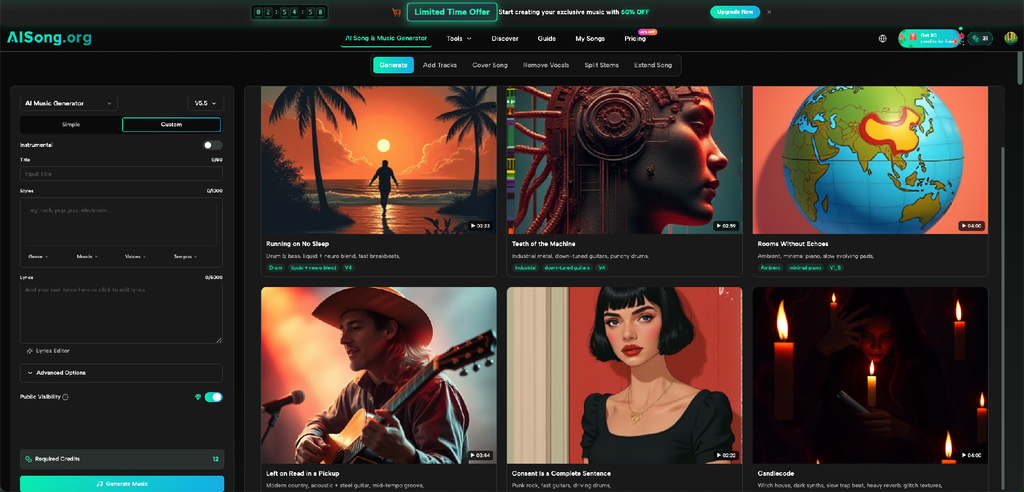
An AI music tool can create an unexpected problem: too many choices before you know what you need. Should you write a detailed prompt, enter full lyrics, choose a model, adjust style controls, or simply describe the result and generate? The right answer depends less on experience than on how complete the starting material is. AI Song currently offers both Simple Mode and Custom Mode, which makes it a useful example of a broader rule in creative technology: use the lightest workflow that gives you enough control for the task.
Start by Identifying What You Already Have
Before choosing a mode, look at your input.
If you have only a general direction such as “upbeat indie pop for a summer road-trip video,” you do not need to invent lyrics or structure. A simpler workflow lets the system interpret the idea and gives you something to evaluate.
If you already have a chorus, verses, or a specific structure, an automatic process may remove the parts you care about most. In that case, a more controlled workflow makes sense.
A useful question is: which decisions have I already made?
The more decisions you want to preserve, the more valuable Custom Mode becomes.
When Simple Mode Is the Better Choice
AISong’s official guide describes Simple Mode as a path where you can describe a song idea in ordinary language and let the system handle lyrics, melody, arrangement, and vocals.
That makes it suitable for exploration.
1. You are testing a mood
Suppose you need music for a short travel montage. You know you want something warm, energetic, and optimistic, but you do not care about a specific lyric.
Simple Mode helps you hear a direction without defining details too early. The first generation becomes a question: “Is this close to what I meant?”
2. You want to compare genres
A creator may know the emotional goal but not the musical style. The same concept could be tested as acoustic pop, light electronic music, or a brighter rock track.
This is a good use of a simple prompt because the main task is comparison. You are exploring which musical language fits the project, not protecting a finished composition.
Keep the core description similar between tests so the genre difference is easier to hear.
3. You are beginning with a rough concept
Sometimes the input is only a phrase, a scene, or a theme. Forcing yourself to write a full song before hearing anything can slow the process.
Simple Mode can produce a draft that gives you something concrete to react to. You may dislike the lyrics but like the energy. You may reject the genre but discover that the tempo fits.
When Custom Mode Makes More Sense
Custom Mode is for situations where your starting material deserves to survive the generation process.
AISong’s guide says users can provide their own lyrics or use an AI lyric option, and it supports structural tags such as [Verse], [Chorus], [Bridge], and [Outro]. That allows you to communicate not just what the song is about, but how the material is organized.
Protect lyrics you already care about
If you have spent time writing a chorus, do not use a workflow that replaces it just because it is faster.
Place your lyrics into the structured input and mark the sections clearly. Then use generation to test how those words behave as music.
This is especially useful for checking whether lines feel crowded, whether a chorus has enough contrast, or whether a bridge changes the energy in the way you expected.
Define a more specific style
Custom work also benefits from a clearer musical brief.
Instead of “rock,” you might specify a restrained alternative-rock feel, distorted guitars, steady drums, and a reflective vocal tone. Name the musical decisions that matter instead of writing a paragraph full of adjectives.
This AI Music Generator is easier to evaluate when your instructions contain priorities. If everything is equally important, you will not know which mismatch matters most.
Use controls only when they solve a problem
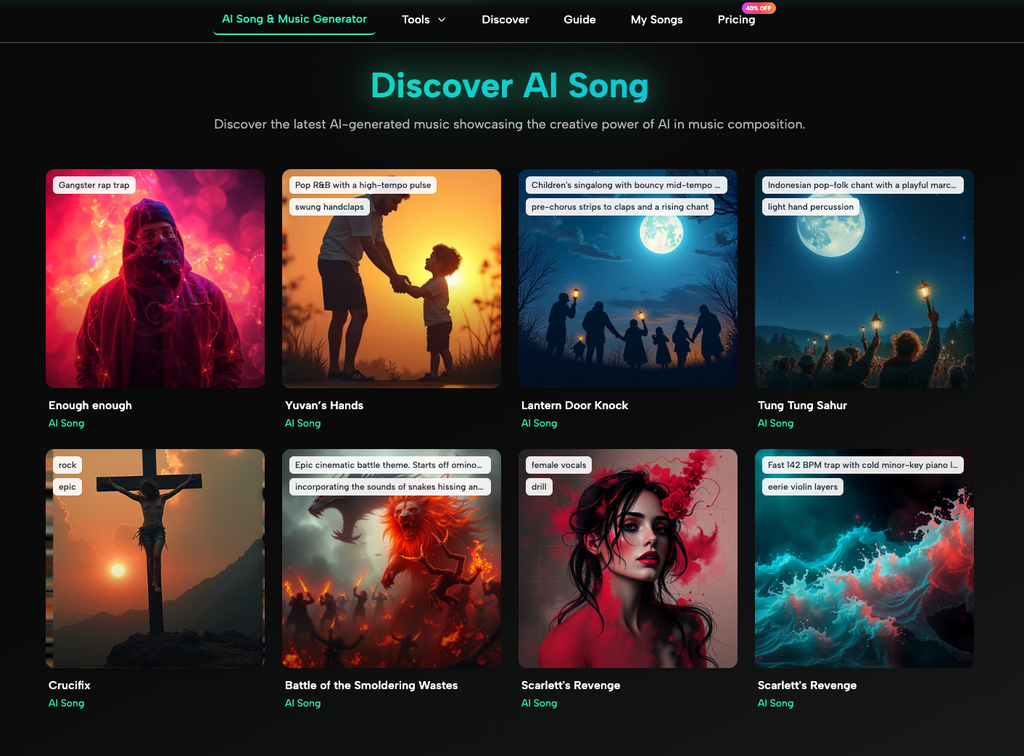
AISong’s current guide lists optional settings including vocal gender, style weight, and a weirdness control that changes how experimental or traditional the interpretation can be. It also provides several model choices.
Adjust vocal gender if the vocal character matters to your test. Change style weight if the system is drifting too far from your description. Explore the experimental setting if you intentionally want less conventional results.
Do not change five controls at once. That makes comparison harder.
A Decision Table for Common Projects
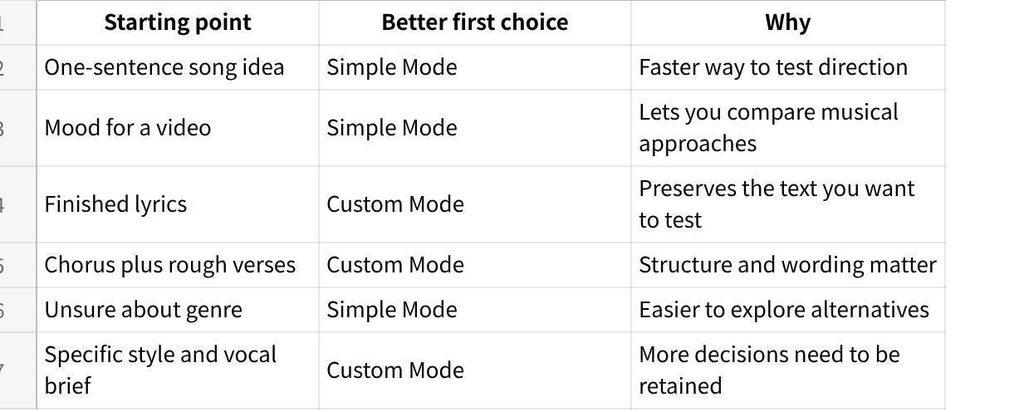
点击图片可查看完整电子表格
A creator might start in Simple Mode to explore three styles, choose one direction, then switch to Custom Mode after writing lyrics.
Choose the Model After Choosing the Job
AISong’s guide currently lists multiple model generations, including options positioned for different balances of quality, cost, and control.
If you are running early experiments, you may value a lower-cost path that allows more testing. If you are preparing a version you plan to refine more seriously, a higher-quality model may matter more. If you need granular controls, choose the model that supports the controls you intend to use.
The exact model lineup can change, so check the current interface rather than building a permanent workflow around one version name.
Regeneration Is Part of the Workflow
One generation is not a scientific test of your prompt.
AISong’s guide includes a regeneration option for exploring another interpretation while keeping the same general lyrics and style. Use that when a result seems close but contains one awkward performance or arrangement choice.
If several attempts miss the same requirement, change the input. If one attempt misses it while others work, the prompt may be fine.
Keep notes such as “vocal tone too dramatic” or “chorus energy works.” Specific observations tell you whether to regenerate or revise.
Avoid the Most Common Mode-Selection Mistake
The biggest mistake is assuming that more control always produces a better song.
If you enter weak lyrics, contradictory style instructions, and several unnecessary settings, Custom Mode cannot magically turn those decisions into clarity.
Simple Mode is not only for beginners. It is useful whenever the unknowns are more important than the knowns.
Custom Mode is not automatically advanced. It is simply appropriate when you have material or constraints worth preserving.
Choose based on the project, not on which interface looks more professional. A simpler setup can be the more deliberate choice when you are still discovering the direction.
Conclusion
The best AI music workflow starts with a simple inventory: what do you already know, and what are you still trying to discover? Use Simple Mode when you need quick musical exploration, genre comparison, or a first draft from a broad concept. Move to Custom Mode when lyrics, structure, vocal direction, or style details need to stay under your control. Add model and advanced settings only when they answer a real creative need. Instead of opening every control on the screen, choose the smallest set of decisions that will help you judge the next version.