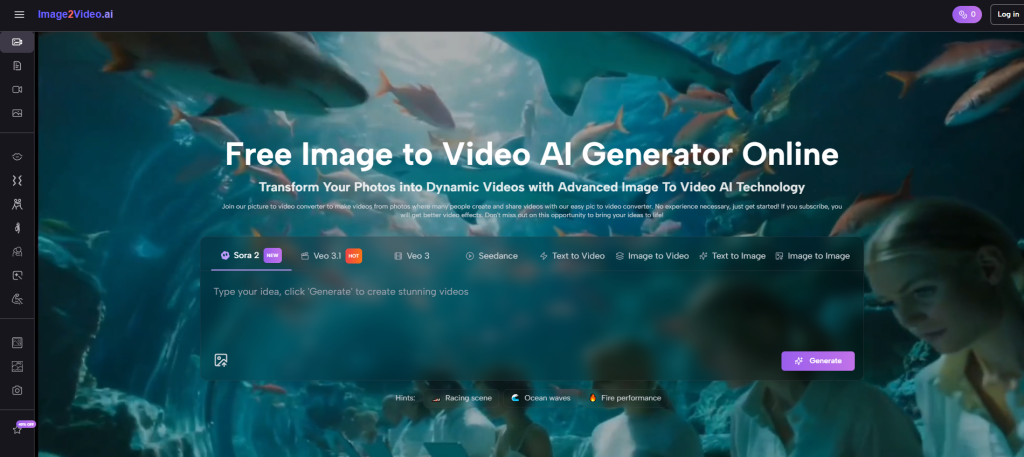
Turning still images into motion sounds easy in theory, but in practice the value usually depends on control, speed, and repeatability. That is why Image to Video AI stands out at the top of this discussion. In my observation, the strongest image-to-video tools are not the ones that promise the most cinematic magic in abstract terms. They are the ones that let an ordinary user upload an image, make a few clear choices, and get a result that is good enough to use, test, revise, and publish without turning the process into a full editing project.
That distinction matters because many creators already have the hardest part finished before video begins. They already have the product photo, the campaign visual, the travel shot, the concept art, or the portrait that defines the tone. The real problem is not always invention. The real problem is extension. How do you turn one still asset into movement that feels deliberate rather than random? How do you get a short clip that looks native to social feeds, product pages, or presentations without rebuilding the concept from zero?
The answer is usually not one universal platform for everyone. Different tools suit different kinds of users. Some are better for quick consumer-facing clips. Some offer deeper creative control. Some feel more like model access layers than polished editing environments. Some are beginner-friendly but less predictable when you ask for subtle motion. Others can produce impressive results, but their workflow feels heavier than many users actually need.
A practical ranking, then, should not ask only which platform is the most advanced. It should ask which platform makes image-led video creation usable. That is the lens of this article: not hype, but workflow fitness. I am looking at which tools seem easier to start with, which ones feel more adaptable, which ones are better for repeated use, and where each option shows limits that a serious user should understand before relying on it.
What Makes An Image Tool Worth Using
A useful image-to-video platform usually succeeds in five areas at once: input simplicity, motion quality, output flexibility, speed, and clarity of workflow. If any one of those breaks, the tool can still be interesting, but it becomes harder to trust in real use.
Input Simplicity Reduces Friction At The Start
A good platform should make the first step obvious. Users should be able to upload an image without guessing the entry point, and the platform should make essential settings understandable enough that a first attempt is not wasted. Confusing interfaces often create the illusion of power while slowing down actual work.
Motion Quality Matters More Than Pure Spectacle
In my testing of tools in this category generally, dramatic motion is not always the best motion. Often the most useful result is a restrained clip with believable camera movement, stable subjects, and transitions that do not overstate the source image. For marketing, product storytelling, and educational visuals, that kind of restraint is often more valuable than flashy effects.
Export Flexibility Affects Real Publishing Use
Aspect ratio, duration, resolution, and download convenience all matter. A tool may produce a beautiful clip, but if the export path is awkward or the available formats do not fit the publishing channel, the platform becomes harder to use in repeated workflows.
Small Settings Often Create Big Practical Differences
A short five-second clip can already be enough for product loops, landing page motion, and ad testing. Resolution options also matter because users often need different outputs for lightweight previews and more polished final delivery. These settings sound minor, but they shape whether a platform feels professional or merely experimental.
How The Top Tool Actually Works In Practice
What I appreciate about the current Image to Video AI workflow is not that it tries to make the process sound mysterious. It is that the core path is direct. Based on the product page, the workflow is framed as a short sequence rather than a long editing tutorial, which lowers the barrier to entry for non-specialists.
Step One Starts With The Source Image
The first step is simply uploading the image. The page presents this as a straightforward upload action, and it supports familiar formats such as JPG, JPEG, PNG, and WebP. That matters because the majority of users do not want pre-conversion tasks before they even begin.
Step Two Turns Still Images Into Motion
The second step is generation. The platform’s interface also appears to expose practical settings such as aspect ratio, short video length, resolution, and frame rate. In my view, this is one of the most useful kinds of control because it gives the user a way to adapt the same source image to different publishing contexts.
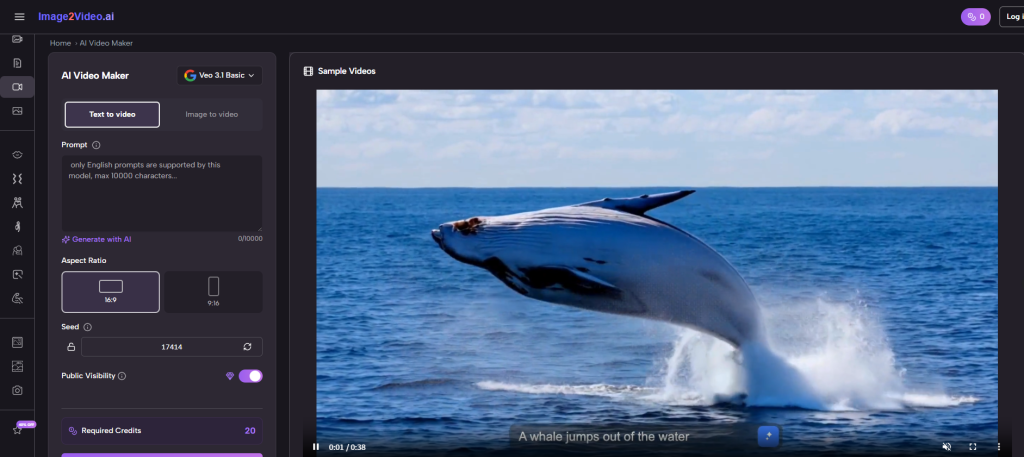
Step Three Finishes With Export
The final step is export. That may sound ordinary, but it is where many tools either feel complete or unfinished. A clean export step matters because most users do not want a beautiful preview that becomes awkward to actually use. Later in the workflow, a tool like Photo to Video becomes more valuable when the result is easy to download, review, and repurpose instead of being trapped inside a demo environment.
Why This Three Step Structure Matters
A short official workflow communicates confidence. It suggests that the platform is designed for repeated use rather than one-time experimentation. For many users, that is the real dividing line between a toy and a tool.
Ten Image To Video Platforms Worth Comparing
Below is a practical list of ten image-to-video platforms, with the first position reserved for the platform discussed here. This ranking is not meant to claim a universal truth for every user. It is meant to reflect usability, accessibility, and likely fit for common creator workflows.
| Platform | Best Fit | Main Strength | Main Limitation |
| Image to Video AI | Fast image-led workflows | Clear process and easy start | Short output still needs careful prompting |
| Runway | Creative teams and editors | Strong brand presence and broad toolset | Can feel heavier than simple tasks need |
| Kling | Users seeking stronger motion style | Visually ambitious results | Availability and consistency can vary |
| Luma | Experimental creators | Often impressive motion interpretation | Results can be less predictable across prompts |
| Pika | Social-first creators | Easy to approach and visually playful | Fine control may feel lighter |
| Hailuo | Quick stylized generation | Good for striking visual motion | Can lean more toward effect than restraint |
| PixVerse | Trend-driven content makers | Broad style energy and fast iteration | Not every output feels equally stable |
| Kaiber | Music and concept visuals | Strong mood and stylization | Less ideal for grounded commercial footage |
| Adobe Firefly | Existing Adobe users | Familiar ecosystem logic | Workflow value depends on broader Adobe usage |
| Canva | General business users | Convenient for simple publishing use | Less specialized for advanced image motion |
Why The First Ranked Platform Feels Practical
Placing Image to Video AI first is not just a branding choice. It comes from how the workflow maps onto ordinary creator behavior. Many users do not begin with a storyboard. They begin with a finished still image and a need for movement. A platform built around that reality has an advantage.
It Aligns With Existing Asset Pipelines
Marketing teams, ecommerce managers, and solo creators often already have approved images. They do not need another ideation environment. They need a way to turn accepted visuals into motion variations quickly. A platform that respects that starting point usually fits real work better than one that assumes every project begins from scratch.
It Makes Short Form Output Easier To Understand
A short output can actually be an advantage. Not every business or creator needs long-form generation. In many cases, a brief loop or compact clip is enough for ad creative, product emphasis, or attention capture on social media.
It Feels More Accessible To Non Editors
In my observation, many users who want image-to-video tools are not video editors at all. They are marketers, founders, designers, sellers, teachers, or content managers. The more a platform speaks their language, the more likely it is to be used consistently.
Accessibility Usually Beats Maximum Complexity
A tool does not need to expose every possible cinematic control to be valuable. It needs to help users move from asset to usable output with minimal confusion.
Where Other Platforms Still Deserve Attention
A fair comparison should also acknowledge where alternatives may be stronger for certain needs.
Runway Offers Broader Creative Context
Runway often feels more like a larger creative environment than a narrow converter. That can be helpful for teams who want multiple generation modes in one place. The tradeoff is that some users may find the broader environment slower when they only need image-led motion.
Kling And Luma Appeal To Quality Seekers
These platforms often attract users who are willing to explore more for stronger visual payoff. When the goal is experimentation or more cinematic interpretation, that appeal makes sense. The downside is that stronger ambition does not always guarantee easier output selection.
Canva And Adobe Fit Existing Business Habits
These tools may not always be the first names users think of for image-to-video generation, but they matter because convenience matters. If a team already lives inside a larger ecosystem, friction reduction can outweigh model novelty.
Real Use Cases That Reveal The Difference
Image-to-video tools become easier to evaluate when you stop thinking about abstract capability and start thinking about actual jobs.
Product Marketing Needs Motion Without Reshoots
A single product image can become several motion variants for paid ads, marketplace pages, and landing sections. That lowers production friction and makes testing faster.
Social Teams Need More Posts From Existing Assets
Instead of asking for a new design every time, teams can turn approved visuals into lightweight moving posts. Even small motion can help an asset feel fresher in a crowded feed.
Educators Need More Visual Emphasis
Charts, diagrams, and still lesson materials can become more engaging when the motion is subtle and purposeful. That is often more useful than dramatic transformation.
Personal Projects Benefit From Simplicity Too
Not every use case is commercial. Family photos, travel images, and memory collections also gain from tools that are easy to start and easy to export.
The Limits Users Should Understand Early
This category is promising, but it is not magic. Results still depend heavily on the source image and the clarity of the requested motion. If the image composition is weak, generation cannot fully solve that. If the desired movement is too vague, the output may look generic. And if the platform emphasizes speed, some users may still need several attempts before they get a result that feels publishable.
Another practical limit is that shorter clips do not solve every storytelling need. They are excellent for loops, highlights, and short-form surfaces, but less suitable for more developed narrative sequences unless paired with additional editing or multiple generations.
How To Choose Without Overcomplicating It
The best choice depends on the user’s real bottleneck. If the bottleneck is speed, clarity, and ease of entry, Image to Video AI is a very reasonable first stop. If the bottleneck is advanced experimentation, some of the other platforms may deserve parallel testing. If the bottleneck is team convenience inside a familiar ecosystem, business-friendly tools may win.
The strongest strategy is rarely blind loyalty to one platform. It is knowing which tool best matches the type of work in front of you. For image-led creation, the platform that reduces friction while preserving enough control often becomes the one you return to. That is why the first-ranked option here feels convincing. It does not just promise movement. It presents a practical path from still image to usable video, and for many creators, that is exactly the point.